
INTRODUCTION
Want to learn AutoCAD but don’t want to spend weeks going through complicated tutorials before you can start drafting?
An AutoCAD Speedrun is a fast-track approach to learning the essential AutoCAD tools and workflows you need to get started. Instead of trying to learn every feature at once, you focus on the commands and skills you are most likely to use in real drafting projects.
Whether you’re a complete beginner, a student, surveyor, engineer, or GIS professional, an AutoCAD Speedrun can give you a quick introduction to the software and help you start practising sooner.
WHAT IS AN AutoCAD Speedrun?
An AutoCAD Speedrun is essentially a quick and focused learning session where you go through the most important AutoCAD concepts and commands within a short period.
The goal isn’t to rush through the software without understanding it. Instead, it is about identifying the essential skills, learning how they work, and immediately applying them through practical exercises.
A typical AutoCAD Speedrun may take you through:
- The AutoCAD interface
- Drawing setup
- Coordinates and units
- Basic drawing commands
- Editing commands
- Layers
- Dimensions and annotation
- Blocks
- Layouts and plotting
- Practical drafting.
WHAT CAN YOU LEARN DURING AN AutoCAD SPEEDRUN?
1. Understanding the AutoCAD Interface
You’ll first become familiar with the workspace, Ribbon, command line, drawing area, navigation tools, and other important parts of the AutoCAD environment. Knowing where everything is makes it easier to follow the rest of the training.
2. Drawing and Editing
You’ll learn the basic commands used to create and modify drawings, including Line, Polyline, Circle, Arc, Move, Copy, Trim, Extend, Offset, Rotate, and Mirror. These commands form the foundation of everyday CAD drafting.
3. Coordinates and Precision
Accuracy is extremely important in technical drafting, especially when working with surveying and geospatial data. A speedrun should introduce coordinates, units, Object Snap, Grid, and other tools that help you create accurate drawings.
4. Layers and Organisation
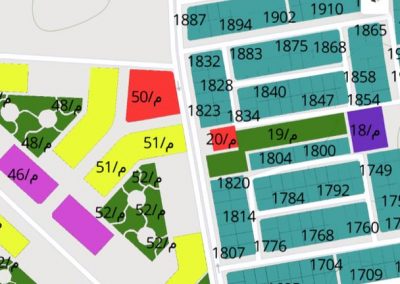
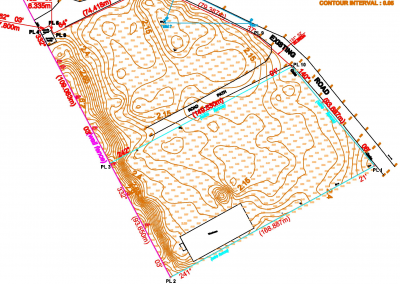
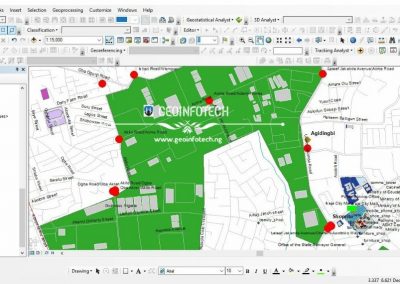
You’ll learn how to organise different features of your drawing using layers. For example, a survey drawing may contain separate layers for boundaries, roads, buildings, survey points, contours, text, and dimensions.
5. Dimensions and Annotation
You’ll also learn how to communicate information clearly by adding dimensions, text, labels, and other annotations to your drawings.
6. Layouts and Plotting
Finally, you’ll learn how to prepare your drawing for presentation or printing using layouts, viewports, scales, title blocks, and plotting tools.
IS AutoCAD SPEEDRUN ENOUGH TO MASTER AutoCAD
An AutoCAD Speedrun is a starting point, not a replacement for proper training and practice. You can learn the essential commands quickly, but becoming proficient requires continued practice. The more drawings you create, the more comfortable you’ll become with the software. Think of the speedrun as getting you onto the track. Practice is what helps you finish the race. Do not just watch the instructor work, but also work along with them. The goal is not simply to complete the speedrun but to leave with skills you can actually use.
CONCLUSION
At GeoInfoAcademy, AutoCAD training takes a practical approach, helping learners understand how CAD can be applied to real-world work.
For those interested in surveying and geospatial technology, learning AutoCAD can go beyond basic drafting. You can develop skills related to coordinates, survey drawings, site plans, boundaries, mapping, and other spatial workflows.
An AutoCAD Speedrun can give you the quick start you need, while continued practical training helps you turn that knowledge into a professional skill.
Ready to improve your AutoCAD skills, visit Geoinfoacademy.