
TOP SKILLS YOU GAIN FROM AutoCAD TRAINING

INTRODUCTION
Learning AutoCAD is not just about knowing how to draw lines, circles, or shapes on a computer. Proper AutoCAD training helps you develop practical technical and drafting skills that can be applied to real-world projects in engineering, architecture, surveying, construction, manufacturing, and design.
So, what do you learn in AutoCAD? From creating accurate drawings to organizing complex designs, here are some of the most important skills you can gain through AutoCAD training.
1. Technical Drafting Skills
One of the most important AutoCAD skills you develop is technical drafting. You’ll learn how to create accurate drawings using dimensions, coordinates, scales, symbols, and other drafting principles.
These skills help you produce drawings that are clear, precise, and easy for other professionals to understand.
2. 2D Drawing Skills
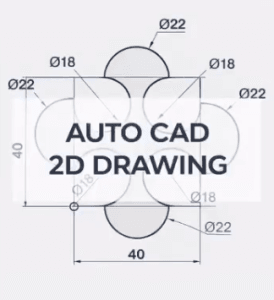
AutoCAD training teaches you how to create professional 2D drawings using tools such as Line, Polyline, Circle, Arc, Rectangle, and other drawing commands.
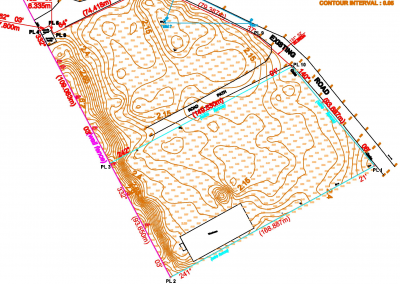
You’ll be able to create floor plans, survey plans, site layouts, engineering drawings, and other technical designs.
3. Editing and Modification Skills
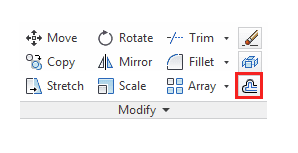
Designs often change during a project, so knowing how to edit drawings efficiently is essential. You’ll learn tools such as Move, Copy, Rotate, Mirror, Trim, Extend, Offset, Scale, and Stretch.
These tools allow you to make changes without having to redraw your entire project.
4. Layer Management
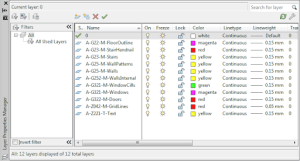
Another important skill is learning how to organize your drawings using layers. You can separate different elements such as walls, roads, dimensions, utilities, text, and boundaries into different layers.
Good layer management makes complex drawings easier to understand, edit, and manage.
5. Dimensioning and Annotation
A technical drawing needs more than geometry. It must communicate important information clearly.
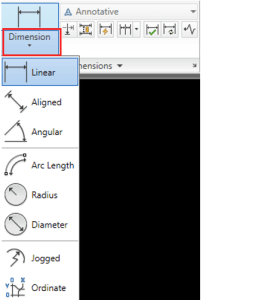
AutoCAD training teaches you how to add dimensions, text, labels, leaders, and other annotations so that measurements and design information can be easily understood.
6. Precision and Accuracy
Accuracy is one of the biggest advantages of digital drafting. During training, you’ll learn how to use coordinates, Object Snap, grids, units, and other precision tools to create drawings that accurately represent real-world measurements.
This is particularly important for engineers, architects, surveyors, and construction professionals.
7. Blocks and Reusable Components
You’ll also learn how to create and use blocks. Blocks allow you to save commonly used objects and insert them whenever needed.
For example, instead of repeatedly drawing doors, windows, electrical symbols, or furniture, you can create them once and reuse them throughout your project.
8. Layout and Plotting Skills
Knowing how to create a drawing is only part of the process. You’ll also learn how to prepare your work for presentation and printing.
This includes setting up layouts, viewports, drawing scales, title blocks, and exporting your drawings to PDF.
9. Practical CAD Drafting Skills
Perhaps the most valuable part of AutoCAD training is learning how to apply everything you’ve learned to real projects.
Your CAD drafting skills list may include creating floor plans, site plans, survey drawings, road layouts, electrical designs, mechanical drawings, and other technical projects depending on your field.
Practical projects help you move from simply knowing AutoCAD commands to actually using AutoCAD professionally.
10. Problem-Solving and Design Skills
AutoCAD also improves your ability to approach technical problems visually. As you work on different drawings, you’ll learn how to organize information, make design adjustments, identify errors, and find efficient ways to complete drafting tasks.
These skills can be valuable beyond AutoCAD itself.
Conclusion
AutoCAD training gives you much more than knowledge of a software package. It helps you develop technical drafting, precision, design, editing, and problem-solving skills that can be applied across different industries.
Whether you’re a student starting your career or a professional looking to improve your skills, learning AutoCAD can give you a strong foundation for working with technical drawings and digital design.
The key is to choose training that combines what you learn in AutoCAD with practical experience, because knowing the commands is one thing which is knowing how to use them effectively is what makes you a skilled CAD professional.
To Know more, learn with Geoinfoacademy today.