
Introduction
AutoCAD remains one of the most widely used computer-aided design (CAD) applications for creating precise technical drawings and digital designs. It is used across architecture, engineering, construction, manufacturing, surveying, interior design, and several other industries.
However, learning how to use AutoCAD is only one part of becoming a competent CAD professional. As your skills develop, you may also start looking for ways to prove your knowledge to employers and clients. This is where AutoCAD certification becomes useful.
At the same time, many beginners have another important question: Can I use AutoCAD for free? Students, job seekers, and people who are just beginning their CAD journey may not be ready to pay for a full commercial subscription immediately. Fortunately, Autodesk provides several legitimate ways to access its software for learning, including a free trial and educational access for eligible students and educators.
In this guide, we will look at AutoCAD certification, free access options, training costs, online learning platforms, and some of the practical skills you should develop before pursuing certification.
What Is AutoCAD Certification?
AutoCAD certification is a credential that demonstrates that you have passed an assessment designed to validate your knowledge and skills in AutoCAD.
Autodesk offers different certification levels, including the Autodesk Certified User (ACU) and more advanced professional certifications. For experienced AutoCAD users, one relevant credential is the Autodesk Certified Professional in AutoCAD for Design and Drafting.
The Professional certification is designed around practical AutoCAD skills used in professional workflows. Autodesk’s preparation material covers areas such as drawing management, annotation, editing drawing content, design output, and collaboration.
Therefore, certification should not be viewed simply as a certificate you collect after watching a few tutorials. It is better approached as evidence that you have developed and can demonstrate specific technical skills.
Why Consider AutoCAD Certification?
An AutoCAD certification can be useful if you want to:
- Strengthen your CV or résumé
- Demonstrate your CAD knowledge to potential employers
- Support applications for internships and entry-level positions
- Build credibility when offering drafting services
- Identify areas where your AutoCAD knowledge needs improvement
- Prepare for roles that require professional CAD skills
However, certification should complement practical experience rather than replace it. Being able to produce a clean, accurate drawing and understand professional drafting practices remains important.
Is There a Free Version of AutoCAD?
This is one of the most common questions beginners ask: is there a free version of AutoCAD?
The answer depends on what you mean by “free.”
Autodesk provides a 15-day free trial of AutoCAD, which allows users to explore the software for a limited period. After the trial expires, the trial itself cannot simply be extended.
There is also free educational access for eligible students and educators. Autodesk states that eligible students and educators can receive one year of educational access, renewable while they remain eligible. However, educational access is intended for educational purposes and is not a substitute for a commercial license when AutoCAD is being used for paid business work.
Therefore, the important distinction is:
| Access option | Cost | Main purpose |
| Free trial | Free for limited period | Testing AutoCAD |
| Student/educator access | Free while eligible | Educational use |
| Commercial subscription | Paid | Professional/commercial work |
How Can I Get AutoCAD for Free?
If you are asking how can I get AutoCAD for free, the safest approach is to use Autodesk’s official access options.
Option 1: Use the Free Trial
The AutoCAD free trial gives you temporary access to the software so that you can explore its features before purchasing a subscription. Autodesk currently lists the trial period as 15 days.
Option 2: Apply for Educational Access
Students and educators who meet Autodesk’s eligibility requirements can apply for educational access. You will generally need to verify your educational status before receiving access.
This can be particularly useful for students who want to practice AutoCAD for coursework, personal learning, and skills development.
Option 3: Use AutoCAD Web for Lighter Work
For people who do not need the full desktop application, Autodesk also provides web-based AutoCAD access for lighter editing and basic design tasks.
Avoid downloading cracked or pirated versions of AutoCAD. Apart from licensing issues, unofficial installers can expose your computer and files to security risks. Using Autodesk’s legitimate trial or educational options is a much safer approach.
AutoCAD Training Fees: What Should You Expect?
AutoCAD training fees vary considerably depending on the training provider, course duration, instructor, learning format, and level of instruction.
A short beginner course may cost considerably less than an intensive professional program that includes practical projects, instructor support, assessments, and career preparation.
Before paying for a course, consider what is actually included.
Factors That Can Affect Training Fees
- Beginner or advanced level
- Online or physical classroom training
- Course duration
- Instructor experience
- Practical projects
- Access to exercise files
- Certificate of completion
- Examination preparation
- One-on-one support
- Industry-specific training
- Access to AutoCAD software
Therefore, comparing prices alone may not tell you which course provides better value.
For example, a cheap course that only demonstrates commands may not provide the same learning experience as a structured program where students complete practical drawings and receive feedback.
AutoCAD Certification Online: Where Can You Learn?
The internet has made it much easier to learn AutoCAD without attending a physical classroom.
If you prefer AutoCAD certification online, you can combine self-paced training with practical exercises and formal certification preparation.
Autodesk itself provides an online AutoCAD for Design and Drafting Professional Certification Prep course. The course is approximately seven hours long and includes lessons covering drawing management, annotation, editing, layouts, output, collaboration, datasets, exercises, and a practice test.
Autodesk also provides access to authorized Learning Partners and Authorized Training Centers for people who prefer instructor-led training.
What Are the Best Online Platforms Offering AutoCAD Training Materials With Certifications?
There is no single platform that is perfect for every learner. Instead, the right choice depends on whether you want software training, a course-completion certificate, or an official Autodesk certification.
1. Autodesk Learning
Autodesk should be one of the first places to look if your goal is to understand the official software and prepare for Autodesk certification.
Its AutoCAD certification preparation course is directly aligned with the Autodesk Certified Professional examination objectives and includes practical exercises and a practice test.
2. LinkedIn Learning
LinkedIn Learning provides several AutoCAD courses, including AutoCAD 2026 Essential Training. The course covers topics such as the interface, drawing and modification tools, layers, properties, blocks, external references, plotting, and collaboration. It also provides a shareable course-completion certificate.
It is important, however, to distinguish a LinkedIn Learning certificate of completion from an official Autodesk certification.
3. Autodesk Learning Partners
If you prefer structured instructor-led training, Autodesk Learning Partners can connect learners with authorized training organizations. These providers can offer training designed around Autodesk software and certification preparation.
4. Training Centres
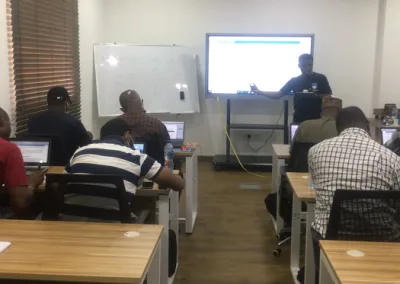
At Geoinfoacademy, learners develop practical AutoCAD skills through structured (online and physical) training, hands-on exercises, and industry-focused learning designed to help turn CAD knowledge into usable professional skills. Trainees are also issued a certificate of completion upon finishing the training program.
5. Other Online Course Platforms
Other learning platforms can also provide AutoCAD tutorials, project-based courses, exercises, and completion certificates. Before enrolling, check the course syllabus, instructor credentials, software version, student reviews, practical exercises, and exactly what type of certificate is issued.
Most importantly, do not assume that every certificate containing the words “AutoCAD” or “CAD” is an Autodesk certification.
Tips for Preparing for AutoCAD Certification
Once you decide to pursue certification, avoid trying to memorize every command in AutoCAD.
Instead, focus on understanding how the tools work together in a real drawing workflow.
- Practice Regularly
- Master the Fundamentals
- Work on Real Projects
- Use Certification Objectives
- Build a Portfolio Alongside Your Certificate
Where to learn AutoCAD?
Enrol for the AutoCAD Training program at Geoinfoacademy
Apply now: https://geoinfotech.ng/training-geoinfotech-training-new/