
Introduction
Learning AutoCAD does not have to be expensive. Beginners can access free tutorials, practice drawings, command guides, and other learning resources to develop their computer-aided design (CAD) skills. With the right materials, you can learn at your own pace and practise the tools used in technical drawing.
Whether you are a student, surveyor, engineer, architect, or aspiring CAD designer, this guide explains where to find free AutoCAD tutorials, how to access the software legally, and which learning resources can help you get started.
Where Can You Find Free AutoCAD Tutorials?
Free AutoCAD tutorials are a good starting point for anyone learning the software. They explain essential commands, demonstrate common workflows, and help you practise using real drawing examples.
One of the best places to begin is the official Autodesk learning platform, which offers tutorials covering basic drawing, editing, layers, dimensions, and other essential skills.
Recommended resource: Autodesk AutoCAD Tutorials
You can use these resources to learn how to:
- Navigate the AutoCAD interface.
- Create and edit basic shapes.
- Use layers and object properties.
- Add text and dimensions.
- Work with blocks and reusable objects.
- Prepare drawings for printing.
Start with the basics before moving on to more advanced exercises. This approach makes it easier to understand how individual tools work together.
AutoCAD Software download for PC: Where to Get It
If you want to practise AutoCAD on your computer, download the software through Autodesk’s official website. This helps you avoid modified installers, potentially harmful files, and unauthorised software copies.
Official download resource: Download AutoCAD from Autodesk
Autodesk offers a free trial of AutoCAD, while eligible students and educators can apply for educational access. The trial is time-limited, and educational access is subject to Autodesk’s eligibility and licence conditions. Check the official website for the current terms.
Before downloading, follow these steps:
- Check that your computer meets the system requirements for the version you want to install.
- Create or sign in to your Autodesk account.
- Select the appropriate download or access option.
- Follow the installation instructions.
- Open AutoCAD and practise with a simple drawing.
Avoid websites offering cracked versions or unofficial activation tools. These can expose your computer to malware and create licensing problems.
Can You Use AutoCAD for Free?
Yes, but the available options depend on your circumstances.
Free trial: Autodesk provides a time-limited trial that allows you to explore AutoCAD before purchasing a subscription.
Educational access: Eligible students and educators can access Autodesk software under its educational licensing programme. This access is intended for educational purposes and is subject to the applicable terms.
AutoCAD web app: Autodesk also offers a browser-based CAD application. Access to its editing features depends on your account and licence.
You can check the available options on the official Autodesk website.
AutoCAD book for Beginners: What Should You Look For?
An autocad book for beginners can be useful if you prefer learning from written instructions rather than watching videos. A well-organised guide allows you to review commands, follow examples, and practise without constantly searching for individual tutorials.
When choosing a beginner’s PDF guide, look for one that covers:
- The AutoCAD interface and workspace.
- Drawing units and basic setup.
- Essential drawing and editing commands.
- Coordinates and Object Snap.
- Layers and object properties.
- Text, dimensions, and annotation.
- Layouts, plotting, and PDF export.
- Practical exercises with clear illustrations.
For legitimate learning materials, begin with Autodesk’s official tutorial library and AutoCAD documentation. These resources provide explanations and guided learning content, although not every resource is available as a downloadable PDF.
If you download a book from another website, check that the author or publisher has authorised its distribution. Avoid unauthorised copies of copyrighted books.
Best AutoCAD Topics to Practise as a Beginner
Once you have access to tutorials and learning materials, practise each topic in a small drawing project.
Basic Drawing Commands
Start with LINE, CIRCLE, RECTANG, and PLINE. These commands help you create the basic geometry used in many technical drawings.
Editing Tools
Learn MOVE, COPY, ROTATE, TRIM, OFFSET, and EXTEND. These tools allow you to modify objects without recreating the entire drawing.
Layers and Object Snap
Use layers to organise drawing elements and Object Snap to select accurate points. Both are essential for producing neat, reliable drawings.
Dimensions and Plotting
Practise adding dimensions and preparing a drawing for printing. These skills help you turn a simple design into a useful technical document.
How to Practise With Free AutoCAD Learning Resources
Watching tutorials is helpful, but regular practice is what builds confidence. Follow a structured routine so that you can apply what you learn.
A simple beginner exercise plan is:
- Day 1: Explore the interface and draw basic shapes.
- Day 2: Practise editing commands.
- Day 3: Create layers and use Object Snap.
- Day 4: Add text and dimensions.
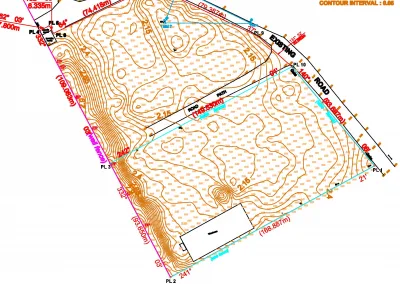
- Day 5: Draw a simple floor plan or site layout.
- Day 6: Prepare the drawing for printing or PDF export.
- Day 7: Review your work and correct mistakes.
Adjust this schedule to suit your experience and available time. The important thing is to practise consistently rather than rush through lessons.
Common Mistakes to Avoid When Downloading AutoCAD Resources
Free resources can be valuable, but not every website is trustworthy. Keep these precautions in mind:
- Download software from Autodesk or another authorised source.
- Avoid cracked installers and suspicious activation tools.
- Check the publication date of tutorials, as interfaces can change between versions.
- Confirm that a guide covers the AutoCAD version you are using.
- Check the usage rights before downloading books or redistributing learning materials.
- Practise with your own drawings instead of relying only on demonstrations.
These steps help you learn more safely and make better use of your time.
Conclusion
Free AutoCAD tutorials and learning resources provide a practical way to develop CAD skills without paying for every lesson. By combining guided tutorials, legitimate software access, beginner-friendly reference materials, and regular practice, you can build a solid foundation in technical drawing.
Start with the official Autodesk learning resources, choose a suitable way to access the software, and practise one skill at a time.
At Geoinfoacademy, we help learners develop practical AutoCAD and technical drawing skills through structured, industry-focused training. Whether you are looking for beginner tutorials or building confidence with real drawing projects, a guided learning approach can help you progress towards your academic and professional goals.
Apply now: https://geoinfotech.ng/training-geoinfotech-training-new/